


PlantSnap: Plant Identifier
3.88.66K Reviews
App Specs
- Version
- 8.0.2
- Updated On
- License
- Free
- Downloads
- 10,000,000+
- Developer
- PlantSnap, Inc.
- Categories
- Education
- Platform
- Android, iOS
Screenshots
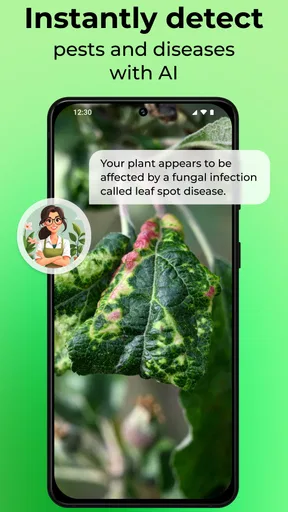
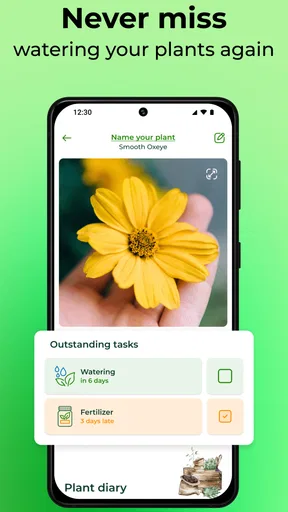
 Analysis by AppCompare
I find plant identification apps most useful when I am standing in front of something unfamiliar and need a sensible starting point, not a botanical verdict carved in stone. PlantSnap: Plant Identifier fits that moment well. It is an education app from PlantSnap, Inc. that uses image-based identification to help recognize plants, leaves, trees, and flowers, while also offering plant-care guidance. In my experience, its value comes less from taking one magical photo and more from learning how to give it a photo that contains enough useful detail.
The app is free to install and is rated for Everyone, which makes it approachable for families, students, gardeners, hikers, and curious beginners. Its average rating is 3.8 from around 95 thousand ratings, and it has passed over 10 million installs. That level of adoption suggests it has become a familiar tool for casual plant questions, although the rating also hints that results and the overall experience will not be perfect for every user.
Getting past the moments where identification usually goes wrong
The first place people tend to get stuck is the camera itself. A quick, distant snapshot of a whole plant may look perfectly clear to a person, yet contain very little information for an identification system. Several plants can share the same green shape, especially when the image shows only a blurred leaf or a mass of foliage. I get better results when the subject fills most of the frame and the important details are easy to see.
I also avoid photographing a plant through glass, behind a screen, or in deep shade. Reflections, harsh sunlight, and strong shadows can hide the details that separate one species from another. If I am using a phone camera, I steady it for a moment before capturing the image rather than relying on a rushed tap while walking.
A useful habit is to take more than one kind of picture. A close view of a leaf can reveal its edges and veins, while a second image showing the plant’s overall shape provides context. A flower, fruit, bark, or stem may be more distinctive than the leaf. I do not treat this as a formal botanical procedure; it is simply a practical way to give the app several clues instead of asking it to solve the entire problem from one partial view.
The most important adjustment is to use identification as a shortlist, not as final proof. If the suggested plant seems plausible, I compare the visible features with the result and look for contradictions. A plant that is identified as a flowering shrub but has a completely different leaf arrangement deserves another photo and a second opinion.
Another common source of frustration is expecting the app to recognize a plant before the image has finished processing. Network conditions, a busy device, or a weak connection can make a result feel delayed. I usually wait briefly before repeating the same action. Submitting the identical blurry image several times rarely improves the answer; changing the angle, lighting, or subject detail is more productive.
Worth Reading Before You Choose

EA SPORTS FC Mobile 26 Is a Bigger Football Game, but It Takes Time

Flipboard Shows What News Apps Must Do Beyond the Feed

Switching to Android Auto Means Rethinking Your Driving Routine

Google Calendar Makes a Crowded Week Easier to Manage

Ludo King Makes the Most of the Minutes Between Plans

Baby Panda World Brings Quick Play to Modern Phones, but Its Game Library Feels Busy
There is also a difference between identifying a cultivated plant and identifying a wild specimen. A garden plant may have been trimmed, crossed, or grown in an unusual environment, while a wild plant may be young, damaged, or missing its flowers. In both cases, the app can be a useful first step, but I would not use a single result to decide whether an unfamiliar plant is edible, medicinal, or safe around children and pets.
Small preparation checks that make the first session easier
Before I start, I make sure the phone camera can focus normally and that the lens is clean. This sounds obvious, but a fingerprint across the lens can turn leaf edges into a soft green smear. I also check that the phone has enough free space for normal camera use and that the app is updated. PlantSnap’s current version is 8.0.2, and keeping an app current is a sensible first step when an older installation behaves differently from the expected experience.
The app supports devices running Android 8.0 or later. On an older phone that meets the requirement, I would still keep expectations realistic: image processing may feel less smooth than on a recent device, particularly if other apps are open. Closing unnecessary apps, restarting the phone, and trying again in good light are reasonable general fixes before assuming the identification service is broken.
I would also check the basic connection before beginning a longer identification session. If a result does not appear, I try a different connection or move to a place with a stronger signal. This is especially relevant outdoors, where a phone may show enough connectivity for messages but not enough for an image-based request to complete comfortably.
Because this is a camera-centered app, I pay attention to the phone’s normal camera access prompt and respond to it according to my own comfort. If I previously denied access, the app may not be able to capture a picture until I change that choice in the phone’s settings. The exact menu differs between Android and iOS, so I use the device’s application settings rather than repeatedly tapping the camera button.
Location can also affect outdoor use in a practical sense, even when the identification itself is based on the image. A trail, garden, or park may have poor reception, and a phone may be conserving power. I prefer to prepare the camera before I reach the plant, take clear images while I have the subject in front of me, and submit them when the connection is stable. That workflow reduces the temptation to rush or repeatedly reshoot the same plant.
The free entry point is helpful for trying the service without committing immediately. At the same time, in-app purchases range from $0.99 to $49.99 per item, so I would read any purchase screen carefully and decide whether the available free experience is enough for my needs. Someone identifying a few houseplants may have a very different tolerance for paid extras than a serious collector or frequent outdoor user.
Recovering when a result is weak, missing, or clearly wrong
When the app returns an unconvincing suggestion, my first recovery step is not to search the same image again. I capture a new image with a different purpose. For a leafy plant, I might photograph one intact leaf from above, then the stem and the plant’s general structure. For a flowering plant, I focus on the flower and include enough surrounding foliage to show how it grows.
I avoid placing several unrelated plants in one frame. A balcony planter, a garden bed, or a forest floor can contain multiple species, and a mixed image gives the system an ambiguous subject. I isolate one plant whenever possible. If the plant is very small, I move closer while keeping the camera steady rather than using extreme digital zoom.
If the app appears frozen, I distinguish between an image problem and an application problem. First I wait a little, then I check the connection and reopen the app if necessary. If that does not help, I restart the phone. These are unglamorous steps, but they often separate a temporary processing or network interruption from a persistent installation issue.
I also keep the original photos in my phone’s camera roll. That gives me a record of the plant and lets me try again later under better lighting. It is particularly useful on a hike: I can photograph the specimen safely, continue walking, and review the images when I have a stronger connection instead of standing in an awkward position trying to force an immediate answer.
For a plant-care question, I treat the identification and the care advice as two separate decisions. Even if the name looks right, care depends on the plant’s current condition, pot size, soil, light, temperature, and watering history. I would not repot, fertilize, or dramatically change its light based only on an uncertain result. The app can suggest a direction; the plant itself still needs to be observed over time.
This is one of the less obvious strengths of using a tool like this carefully: it can turn vague curiosity into a repeatable observation process. I can photograph the same houseplant at different stages, compare the visible changes, and use the likely identity to research appropriate care. The benefit is not just the label. It is having a structured reason to inspect leaves, stems, growth habit, and environmental conditions.
When the phone, the environment, or the plant is the real problem
Not every failed identification is caused by PlantSnap. A damaged leaf, a juvenile plant, a hybrid, or a specimen without flowers may simply lack the visual clues needed for a confident match. In winter, many deciduous plants are reduced to bare branches, and in early growth a plant may look unlike the mature examples people expect. I would consider the season and the plant’s condition before judging the result.
Lighting can create a similar illusion. A bright flash may wash out color, while a dark forest floor can make different leaves look alike. I prefer soft daylight and a plain background when possible. If the plant is moving in wind, I wait for a calm moment or hold the stem gently without damaging it. A sharper image is usually more useful than a larger number of rushed attempts.
The phone itself can be the limiting factor. A scratched lens, a camera that cannot focus at close range, low battery restrictions, or a crowded background can all reduce the quality of the input. If other camera apps also produce blurry photos, I would troubleshoot the phone rather than blame the identifier. Testing the camera on a nearby object is a quick way to tell whether the issue is broader than this app.
There are also situations where an image identifier is simply the wrong tool. If I need to distinguish between two toxic plants with serious consequences, I use a qualified local source or expert confirmation. The same applies to decisions about eating wild plants, treating a medical condition, or handling a plant that may irritate the skin. A convenient app is not a substitute for safety-critical expertise.
Compared with a traditional field guide, PlantSnap is faster for a beginner and easier when I do not know which visual feature matters. A book, however, encourages slower comparison and can explain regional differences in more depth. Compared with a general web search, the app saves time because I can begin with an image rather than inventing search terms, but a search can be better for checking several independent descriptions once I have a likely name.
Compared with asking a gardening group or local expert, the app offers immediate feedback and privacy, but a human may notice context that a photo misses: soil type, scent, growth pattern, local abundance, or a subtle feature outside the frame. I see the strongest workflow as combining them when the identification matters. Use the app to narrow the possibilities, then verify important conclusions through a dependable specialist source.
A realistic everyday workflow
Imagine I bring home a plant from a nursery without a clear care label. I place it near a window, take a well-lit image of the leaves and the whole plant, and use the suggested identity as a starting point. I then compare the result with the plant’s actual leaf shape and growth habit. If the match feels weak, I take another image instead of immediately changing the watering schedule.
Once I have a reasonable candidate, I use the care information to form a cautious plan: observe the light, check how quickly the soil dries, and make one change at a time. I keep the original photo so I can recognize whether new growth matches the identification. This avoids a common beginner mistake—making several care changes at once and then having no idea which one helped or harmed the plant.
For an outdoor walk, I would use a similar process but with more attention to safety. I photograph the plant without touching an unfamiliar specimen, save the image, and review the result later. If the name matters for a school project or conservation question, I verify it with regional references. The app is excellent for turning “What is that?” into a focused research question, but I would not let a quick result replace responsible handling.
Families can use the app as a way to make a walk more engaging. Children can photograph leaves and compare shapes, then discuss why two plants might look similar. The Everyone rating supports that broad audience, but adult supervision still makes sense outdoors, especially when children are tempted to taste or pick something unfamiliar.
Who will enjoy it, and who should choose another approach?
I recommend PlantSnap to beginners who want quick help naming houseplants, garden flowers, trees, and leaves. It is also a good companion for people who learn visually and find a long botanical description intimidating. The combination of image recognition and care-oriented information makes it more useful than a simple name lookup when the goal is to keep a plant healthy.
Students may appreciate it during an initial research phase, especially when they need a likely identity before consulting more detailed sources. Gardeners can use it to organize their observations and decide what to investigate next. Hikers and travelers may find it handy for casual curiosity, provided they understand that outdoor identification is affected by season, region, image quality, and the plant’s growth stage.
I would be more cautious about recommending it to someone who needs guaranteed species-level accuracy, works with rare plants, or plans to make a safety-sensitive decision. A paid botanical reference, regional field guide, or human expert may be the better primary choice in those cases. I would also skip it if I only want a completely offline reference and do not want to deal with image submission or connection-related friction.
The purchase model is another consideration. Since the app is free but includes individual in-app purchases between $0.99 and $49.99, I would start with ordinary identification tasks and only consider spending after deciding that the workflow genuinely helps me. The right value depends on how often I identify plants and how much I use the care guidance; occasional users may be satisfied without paying, while frequent users should examine each offer rather than assuming every feature is necessary.
My practical verdict after using it
PlantSnap: Plant Identifier is most successful when I use it as a visual assistant rather than an unquestionable authority. It makes the first step easy: photograph an unfamiliar plant, receive a likely direction, and continue learning. The experience becomes noticeably better when I control the photo quality, separate one plant from a busy scene, and retry with a different detail instead of repeating a poor image.
Its friction is real. Results can be affected by lighting, focus, plant maturity, network conditions, and the limits of image recognition. The 3.8 average shows that the app is useful but not universally reliable, and the broad range of in-app purchase prices means I would approach the paid side thoughtfully. Those points do not cancel out its usefulness; they define the situations where it works best.
For a free education app with over 10 million installs, it offers a convenient bridge between casual curiosity and more serious plant research. I would install it for houseplant care, garden exploration, and quick identification on walks. I would keep a field guide or expert source nearby for difficult or safety-critical cases. If you follow that boundary, PlantSnap can save time, improve your observation habits, and make ordinary encounters with plants much more interesting.
Pros
- Identifies many common plants from a single photo.
- Includes useful details about plant care and habitat.
- Search tools help explore plants beyond camera recognition.
- Available on both Android and iOS devices.
- Clean interface makes basic identification easy for beginners.
Cons
- Recognition can be unreliable with blurry or unusual plant photos.
- Many useful features require a paid subscription.
- Results may take longer when the internet connection is weak.
- The app can use significant storage for images and plant data.
- Some plant information may vary by region or local species.
FAQs for PlantSnap: Plant Identifier
What is PlantSnap: Plant Identifier used for?
PlantSnap: Plant Identifier is designed to help you recognize plants, flowers, trees, mushrooms, and other plant species from a photo. After taking or uploading an image, the app compares visual details with its database and suggests a possible match. It can be useful for gardeners, hikers, students, and anyone curious about the plants they encounter, although results should be treated as guidance rather than guaranteed scientific identification.
How accurate is PlantSnap when identifying plants?
The app can provide helpful identifications when the photograph is clear, well lit, and focused on important features such as leaves, flowers, fruit, or bark. However, accuracy may vary depending on the plant’s condition, the camera angle, regional species, and how complete the database information is. Similar-looking plants can be difficult to distinguish, so users should verify important results with a botanist or trusted reference before consuming or handling any unknown species.
Does PlantSnap require an internet connection to work?
PlantSnap generally works best with an internet connection because image recognition, database searches, account features, and additional plant information may depend on online services. You may be able to take photographs while offline and process them later, depending on the current version of the app and your subscription. Before going on a hike or traveling, it is worth checking which features remain available without mobile data or Wi-Fi.
Is PlantSnap free to download, and are there in-app purchases?
PlantSnap can typically be downloaded at no initial cost, but some identification tools, educational content, usage limits, or premium features may require a subscription or in-app purchase. The exact pricing and trial terms can change between Android and iOS and may also vary by country. Review the payment screen carefully, especially the renewal conditions, before starting a trial or confirming a recurring subscription.
Can I rely on PlantSnap to know whether a plant is edible or poisonous?
No. PlantSnap should not be used as the sole authority for deciding whether a plant, mushroom, berry, or herb is safe to eat or touch. A mistaken identification could lead to serious illness or an allergic reaction, even when the suggested result appears convincing. Use the app as a learning and discovery tool, and always confirm uncertain species through qualified experts and reliable local safety resources.


